Flashterm / Ftelnet
facebook APP short tutorial
Setting up your Flashterm / Ftelnet webpage is quite simple using the iframe
method in facebook apps.
What you need:
--------------------
+ facebook account
+ your website running a working version of Flashterm / Ftelnet
+ have a webpage setup for Flashterm / Ftelnet . only Flashterm / Ftelnet will show
on this page. anything else will be tacky and not display properly.
Let's get started.
goto
http://developers.facebook.com/get_started.php
read it all

next goto
http://www.facebook.com/developers/
click setup a new application
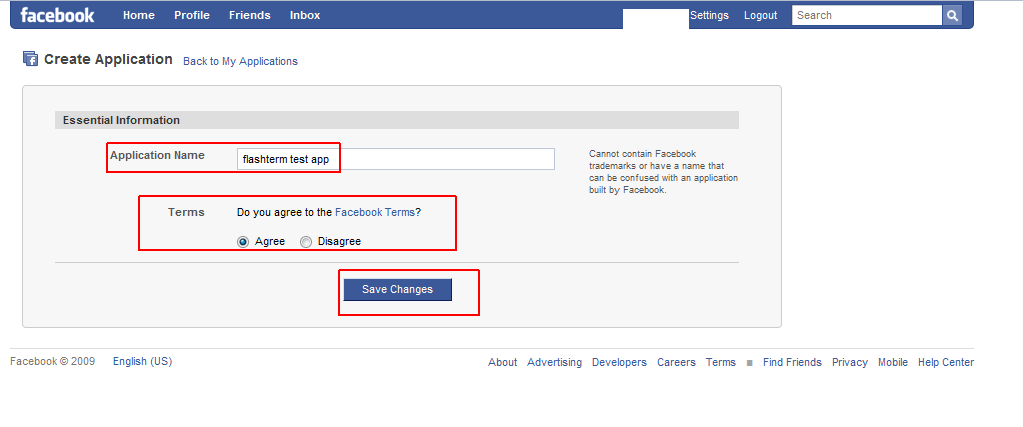
give it a name
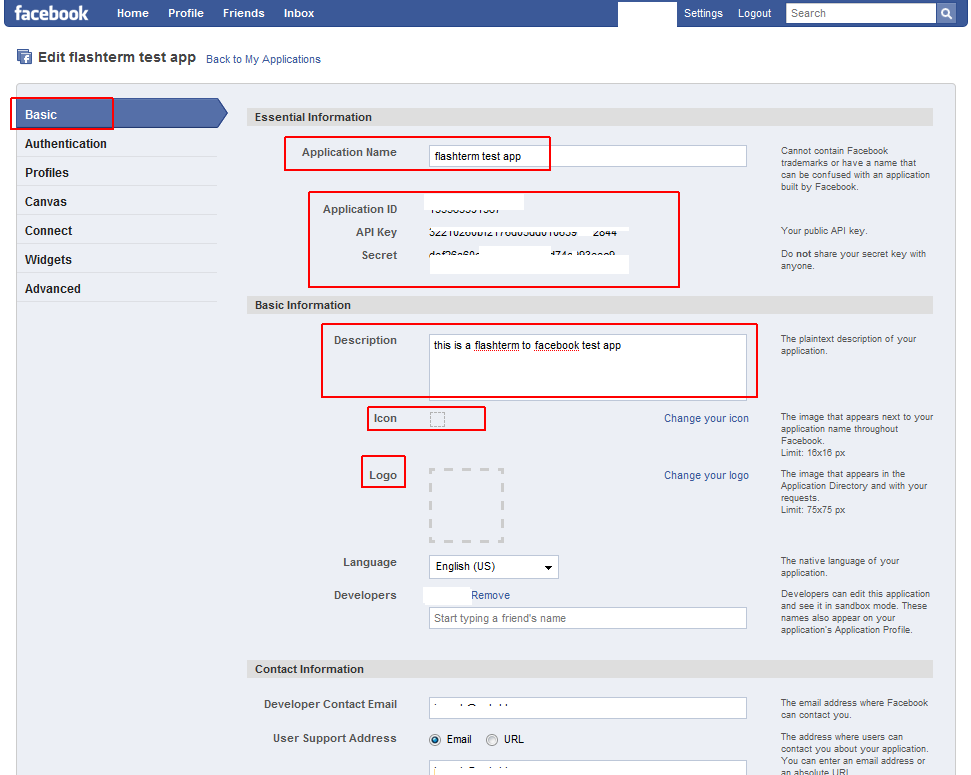
now you should be editing your app properties
fill out any applicable areas, don't forget to give it a unique icon
image.
make note of these settings:
* Application ID
* API Key
* Secret
apply the changes
you will have to apply changes and go back to editing your app as
needed, just so you can save changes for each property page.
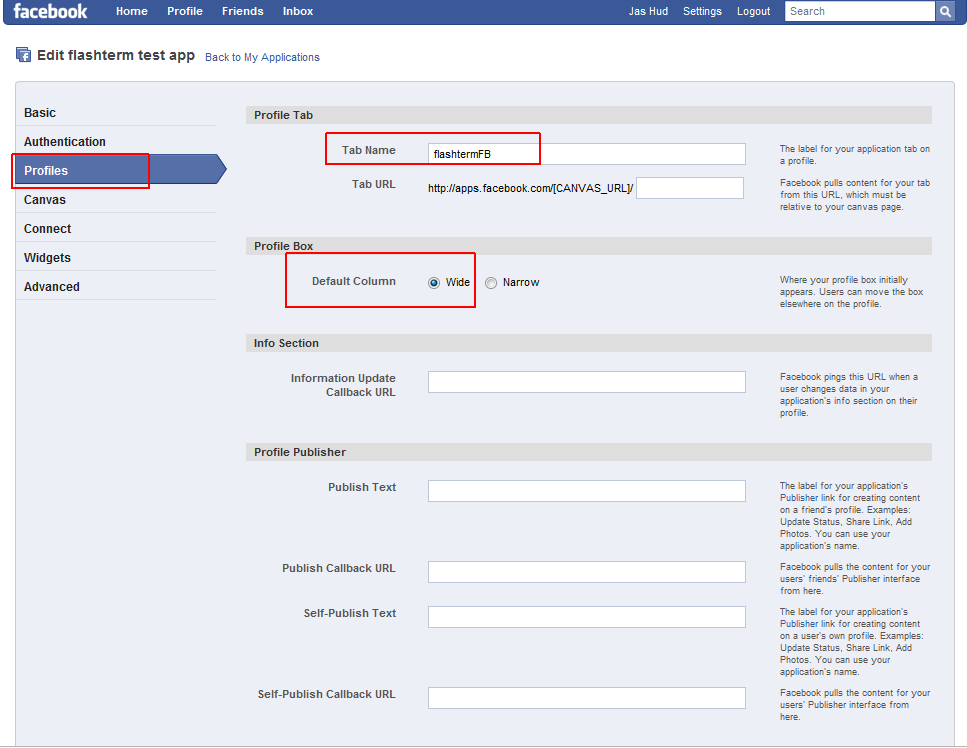
click profiles on the left side of the app editor page
enter in a name in 'tab name'
click CANVAS on the left side of the app editor page
enter canvas page url. this will be how people will visit your app
enter canvas callback url this is your Flashterm / Ftelnet webpage,
what will show up in the facebook iframe
choose the iframe in your canvas settings/render method
if you dont see this 'canvas setting' for iframe, you may not have followed the correct steps.
fill out everything as stated and you should be able to have those options available and be able to choose iframe.
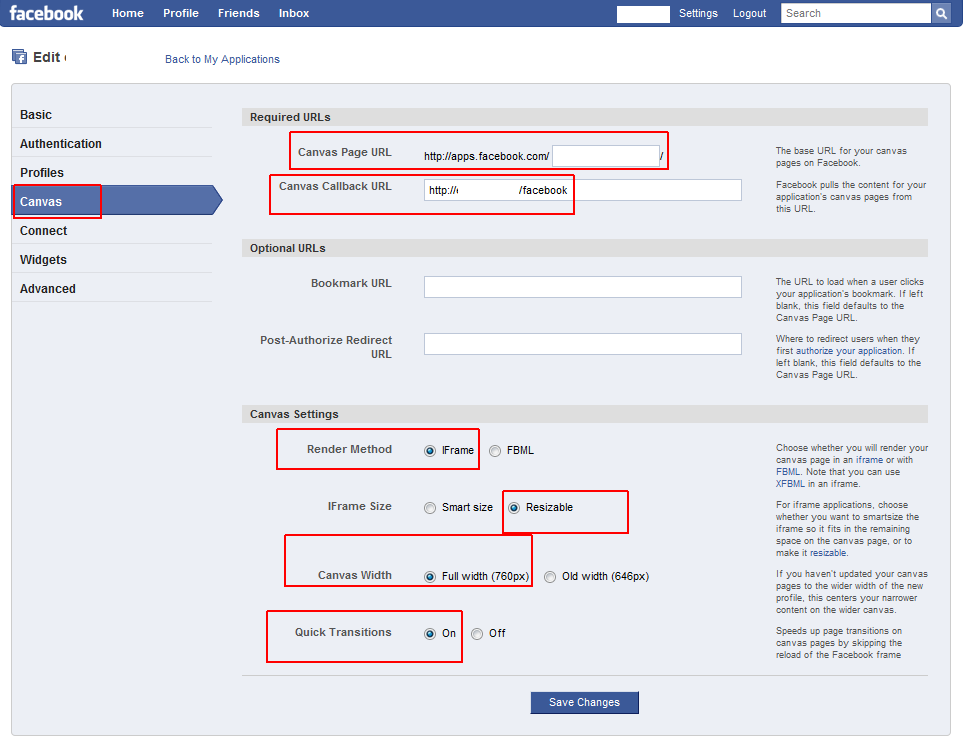
okay, save the settings!
you're done!
for you people that are more visual, you can just copy off of my app